Squarespace
A clean and easy option for getting a portfolio site online quickly, with built-in hosting, templates, and no code required.
Pros
- Easy-to-use drag and drop editor
- All-in-one platform includes hosting, domain registration, and CMS
- Built-in tools for SEO, analytics, and basic e-commerce
Cons
- Limited customization options may not meet complex project requirements
- Lacks advanced features needed for highly specialized websites
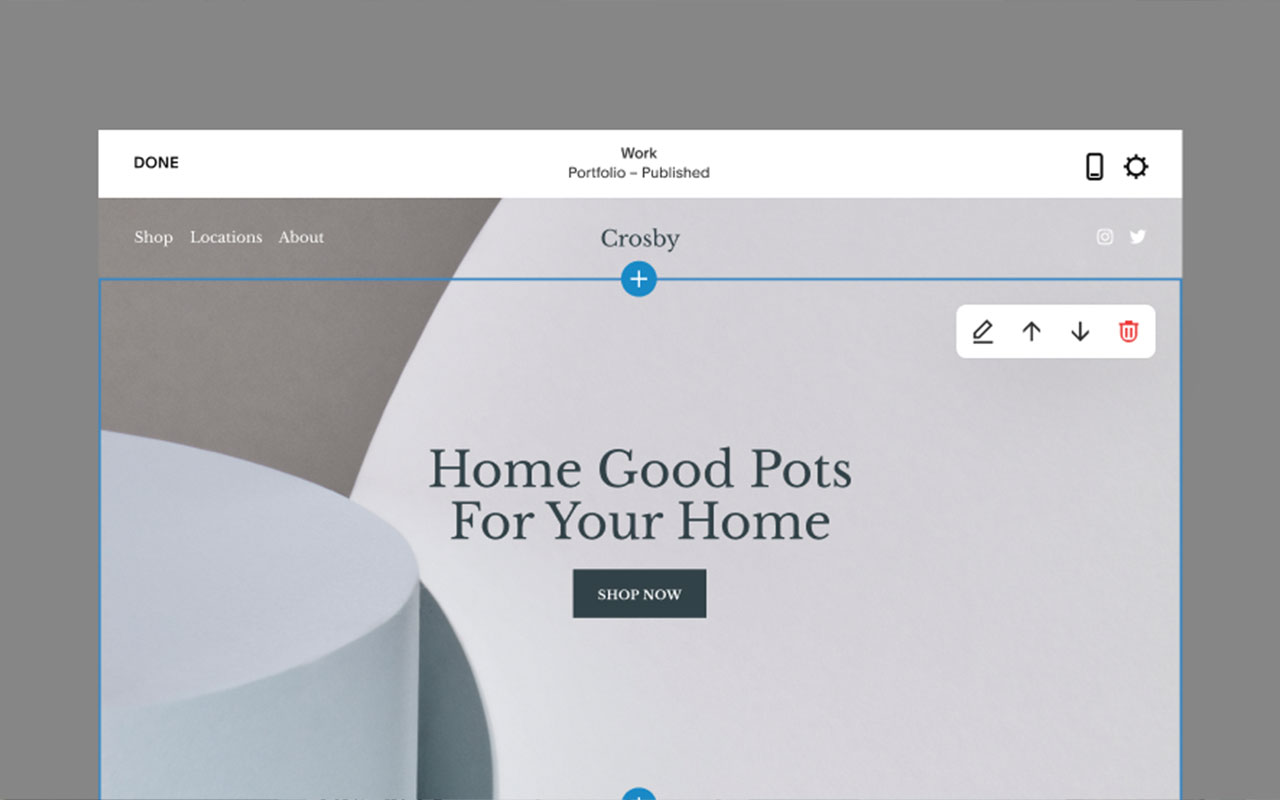
Squarespace is still one of the quickest ways to spin up a decent-looking portfolio site. You pick a template, drop in your work, update the nav, and you’re live. It handles everything in one place including hosting, domain registration, and content management, which makes it a solid choice if you want something simple and clean without touching code.
The interface is straightforward, and the templates are built to showcase visuals. You can add case studies, embed video, tweak type and spacing, and shuffle sections around without worrying about breaking the layout. If you need a minimal web presence that looks good and doesn’t suck up your time, this does the job.
You will run into limitations fast if you need anything outside the box. Templates are locked down and customizing beyond the basics usually gets messy. If your site needs custom interactions, complex layouts, or anything dynamic, this isn’t the tool. But if you need to get online quickly and just want it to look polished with minimal effort, Squarespace is still a reliable option.


More
CMS + Website Builders
Nectarblocks
A lightweight visual site builder that extends the native WordPress block editor with design blocks, dynamic content, and performance-minded tooling.
WordPress
Open source CMS that gives you design ownership: custom themes, page builders, massive plugin ecosystem, WooCommerce support, and flexible hosting choices.
Super
Notion page to website tool that converts Notion content into fast, SEO optimized sites with templates, custom domain support, a drag and drop builder and style options.
Carbonmade
A no-fuss portfolio builder that lets you focus on showing your work with simple tools and polished layouts that don’t get in the way.
Format
A clean portfolio builder that lets you show off your work, send files to clients, and stay in control without juggling multiple tools.
Readymag
A browser-based design tool for building custom web layouts without code, built with designers in mind.


Get a grip on your design
resources and join our community
Free Membership
Current Membership
Save your favorite resources to your personal board for quick access and easy referencing.
- Create 1 board
- Save 10 resources
- Share your saved board with your team and network
- Rate and suggest resources
- Access to curated boards
- Be the first to discover new tools, trends, and insider perspectives
Premium Membership
Save your favorite resources to your personal board for quick access and easy referencing
- Create 50 boards
- Save 50 resources per board
- Share your saved board with your team and network
- Rate and suggest resources
- Access to curated boards
- Be the first to discover new tools, trends, and insider perspectives

Save this resource to a board.
Before saving a resource a board needs to be created.
Save to favorites.
Add to my list.
Name your new board:
Edit Board
Share or Delete Board
Are you sure you want to delete this Board?
Delete from my favorites.Are you sure you want to delete this Resource?
Remove from this board.Suggest a resource, report a broken or expired link.
Send We See Giants a message.
Free Membership
Current Membership
Save your favorite resources to your personal board for quick access and easy referencing.
- Create 1 board
- Save 10 resources
- Share your saved board with your team and network
- Rate and suggest resources
- Access to curated boards
- Be the first to discover new tools, trends, and insider perspectives
Already have an account? LOGIN