Sketch
The mac-native UI app you reach for when precision, predictable handoff, and an extensible plugin ecosystem.
Pros
- Precise vector and type controls for pixel-perfect screens
- Solid prototyping
- Massive plugin ecosystem
Cons
- Only available for macOS
- No real time coediting
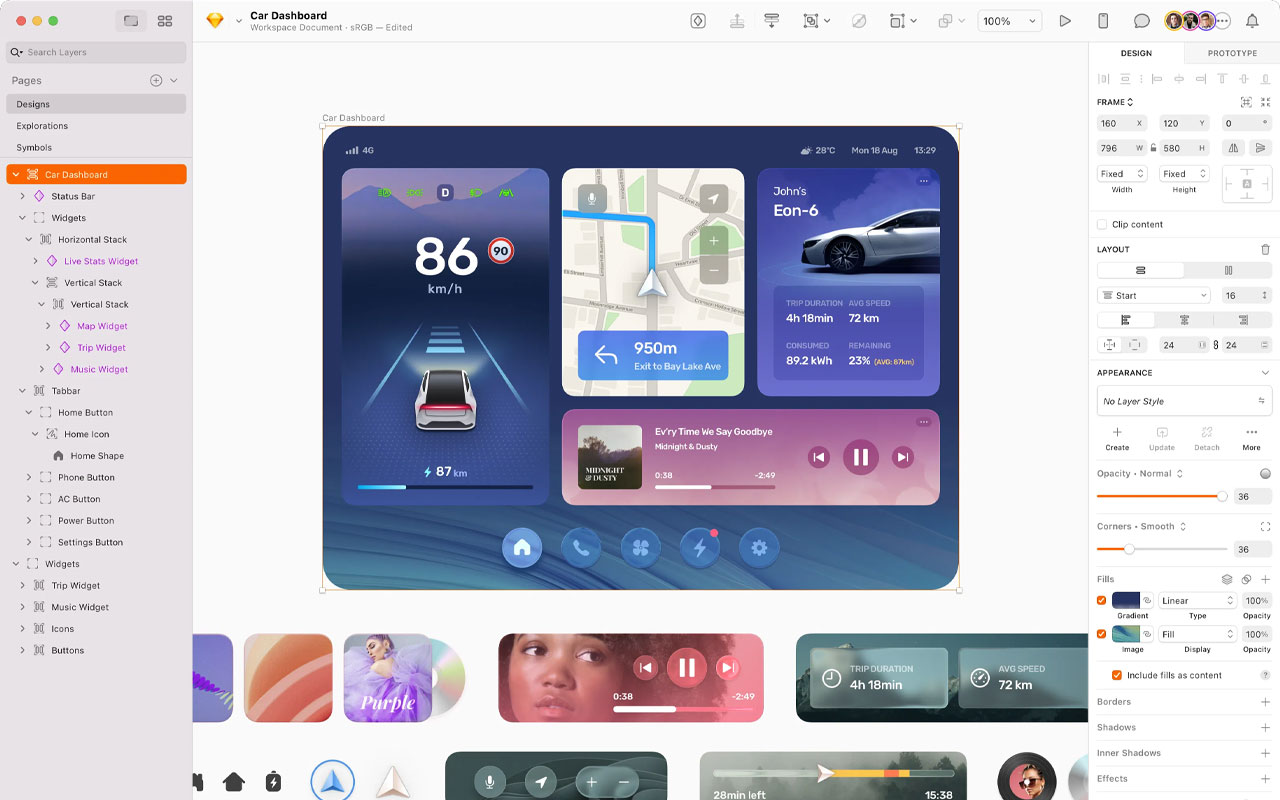
Sketch is the mac-native toolkit you reach for when pixel control, type, and predictable handoff matter. It gives you tight vector tools, component libraries, and template systems so screens behave the same way for designers and devs. The app stays responsive on big files and the export and spec outputs are the sort that stop arguments in handoff meetings.
People stick with Sketch for the ecosystem more than the UI itself. The plugin scene is enormous and fills gaps with motion tools, token workflows, export automation, and production scripts that make your pipeline cleaner. Shared libraries and built-in prototyping cover most interaction checks without dragging you into another app. Some users often call out plugins and tooling as the practical reason to keep Sketch in a studio stack.
Figma took a big chunk of the market with its browser coediting and cross platform convenience, and many teams moved. Still, a loyal group prefers Sketch for craft, offline reliability, and the control it gives a Mac-first studio. If your team needs live, browser coediting for everyone, factor that in. If you care about precision, stable handoff, and an extensible local toolchain, Sketch still makes sense.

More
Design Tools
Affinity
A pro-grade toolkit for seamless graphic design, photo editing and publishing across devices, now available as a free.
Procreate
Your iPad sketch studio that feels like real paper, fast and tactile. Built so you can draw, paint, animate, and capture process with an Apple Pencil.
Kittl
Browser-based vector suite for when speed matters. True vector tools, massive template library, AI helpers, SVG export and plugins for fast production ready assets.
QuarkXPress
Editorial design application and software for press ready page layout, precise typography, book and magazine workflows.


Get a grip on your design
resources and join our community
Free Membership
Current Membership
Save your favorite resources to your personal board for quick access and easy referencing.
- Create 1 board
- Save 10 resources
- Share your saved board with your team and network
- Rate and suggest resources
- Access to curated boards
- Be the first to discover new tools, trends, and insider perspectives
Premium Membership
Save your favorite resources to your personal board for quick access and easy referencing
- Create 50 boards
- Save 50 resources per board
- Share your saved board with your team and network
- Rate and suggest resources
- Access to curated boards
- Be the first to discover new tools, trends, and insider perspectives

Save this resource to a board.
Before saving a resource a board needs to be created.
Save to favorites.
Add to my list.
Name your new board:
Edit Board
Share or Delete Board
Are you sure you want to delete this Board?
Delete from my favorites.Are you sure you want to delete this Resource?
Remove from this board.Suggest a resource, report a broken or expired link.
Send We See Giants a message.
Free Membership
Current Membership
Save your favorite resources to your personal board for quick access and easy referencing.
- Create 1 board
- Save 10 resources
- Share your saved board with your team and network
- Rate and suggest resources
- Access to curated boards
- Be the first to discover new tools, trends, and insider perspectives
Already have an account? LOGIN