Captions
An AI-first creative studio for video editing, built with tools for fast, polished content.
Pros
- Full suite of AI tools for video editing, captions, avatars, and dubbing
- Good value for paid plans
Cons
- Some tools may not be suited for long-form or high-end production
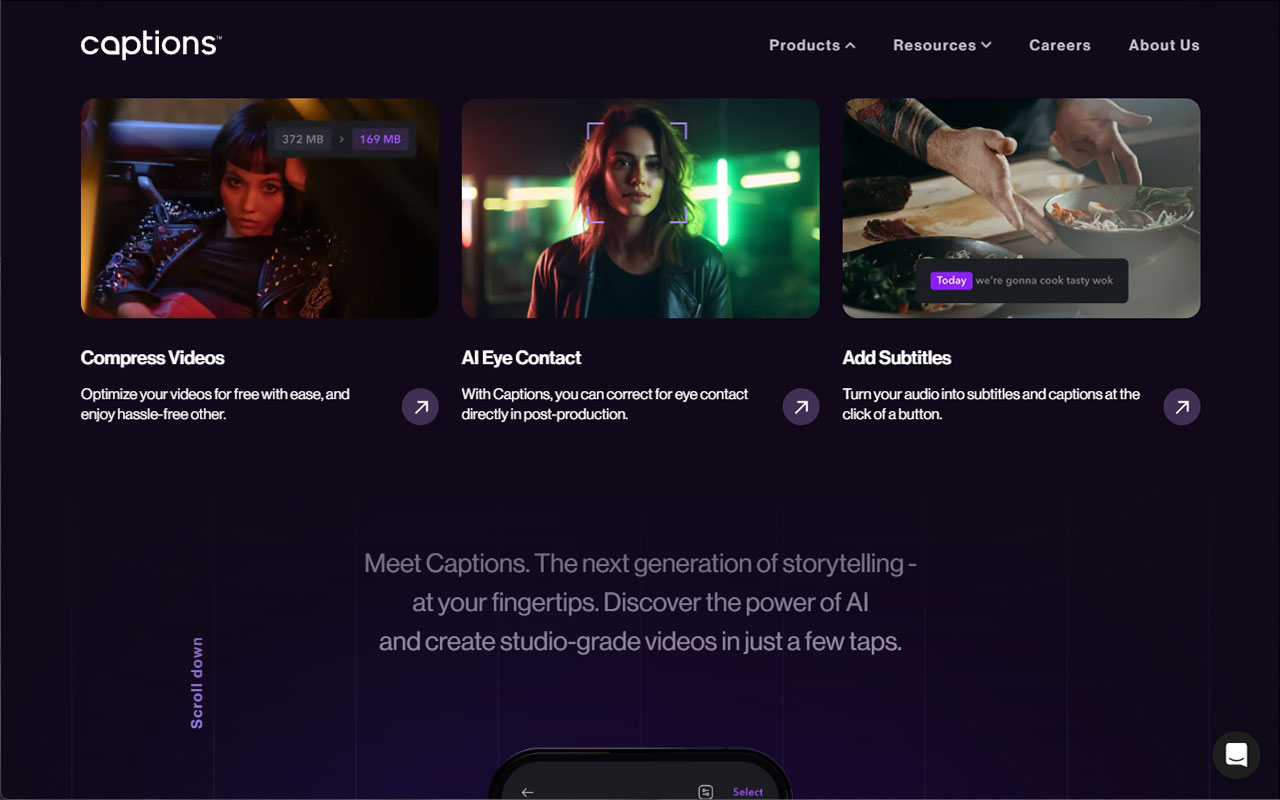
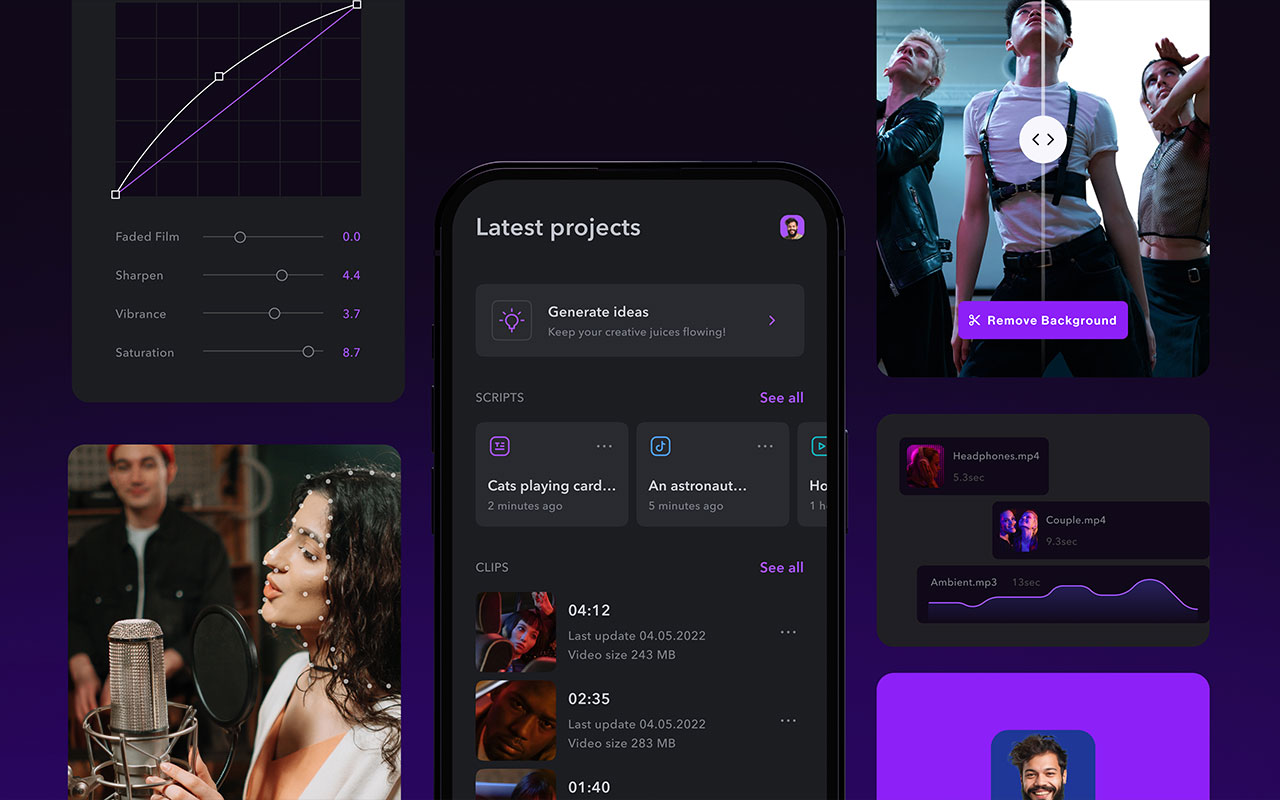
Captions is basically the AI version of Creative Cloud for video—packed with tools to help you create, edit, and publish content fast, without needing a full crew or post-production setup. Built for creators, marketers, and anyone cranking out short-form video, it handles everything from automatic captions to voiceovers, translations, and even AI avatars. Whether you’re recording something fresh or working with existing footage, Captions gives you tools to edit, polish, and ship content—fast.
The toolset is deep. The AI Video Editor automates cuts and pacing, while AI Eye Contact fixes off-camera gaze in post. You can add automatic subtitles, clean up sound with the Background Noise Remover, or translate your voice into 28+ languages with synced lip movement. There’s a Voice Cloning tool that lets you generate consistent AI voiceovers, and a Text-to-Video tool for turning scripts into finished content in minutes. The AI Avatar Generator lets you create a digital version of yourself (or a presenter) to deliver scripts visually, which is especially useful for demos or explainers when you’re off-camera. It also includes tools for teleprompter overlays, face tracking, and script-based editing, which means you can make cuts just by editing text.
It’s clearly built for fast content cycles—social campaigns, internal comms, thought leadership clips, or even repurposing long-form video into shareable bites. It’s not trying to be Premiere Pro, and that’s the point. If you’re looking to speed up the editing process or just don’t have time to finesse every frame, Captions does a solid job of getting your content polished and out the door.

More
AI Video Tools
HeyGen
Text to video maker with lifelike AI avatars, multilingual voices, templates, personalization and API access for fast, scalable video production.
KlingAI
AI video studio for text to video and image to video that handles multi image blending, keeps character consistency, and ships quick concept clips.
Runway
Creative video studio with generative video, image to video, and an AI first editor that lets you edit by text, blend footage, and prototype fast.
ChatGPT
Studio minded conversational AI that sparks directions, polishes tone, and generates on brand copy and imagery via DALL·E, Sora, plugins and shared workspaces.
LTX Studio
Web-based AI filmmaking platform that turns scripts and prompts into visual storyboards, scenes, and trailers with full creative control.
Gling
AI-powered video editing tool that cuts silences, removes filler words, and speeds up rough cut cleanup without touching your timeline.


Get a grip on your design
resources and join our community
Free Membership
Current Membership
Save your favorite resources to your personal board for quick access and easy referencing.
- Create 1 board
- Save 10 resources
- Share your saved board with your team and network
- Rate and suggest resources
- Access to curated boards
- Be the first to discover new tools, trends, and insider perspectives
Premium Membership
Save your favorite resources to your personal board for quick access and easy referencing
- Create 50 boards
- Save 50 resources per board
- Share your saved board with your team and network
- Rate and suggest resources
- Access to curated boards
- Be the first to discover new tools, trends, and insider perspectives

Save this resource to a board.
Before saving a resource a board needs to be created.
Save to favorites.
Add to my list.
Name your new board:
Edit Board
Share or Delete Board
Are you sure you want to delete this Board?
Delete from my favorites.Are you sure you want to delete this Resource?
Remove from this board.Suggest a resource, report a broken or expired link.
Send We See Giants a message.
Free Membership
Current Membership
Save your favorite resources to your personal board for quick access and easy referencing.
- Create 1 board
- Save 10 resources
- Share your saved board with your team and network
- Rate and suggest resources
- Access to curated boards
- Be the first to discover new tools, trends, and insider perspectives
Already have an account? LOGIN